

From screen to paper
Paint one pixel. Make something huge.
Choose from 200 free, randomly selected artworks stored inside the app, then paint on screen or turn a creation into a sheet, activity or full mural — no internet required.
200 free random artworks offline. No ads, account or subscription.
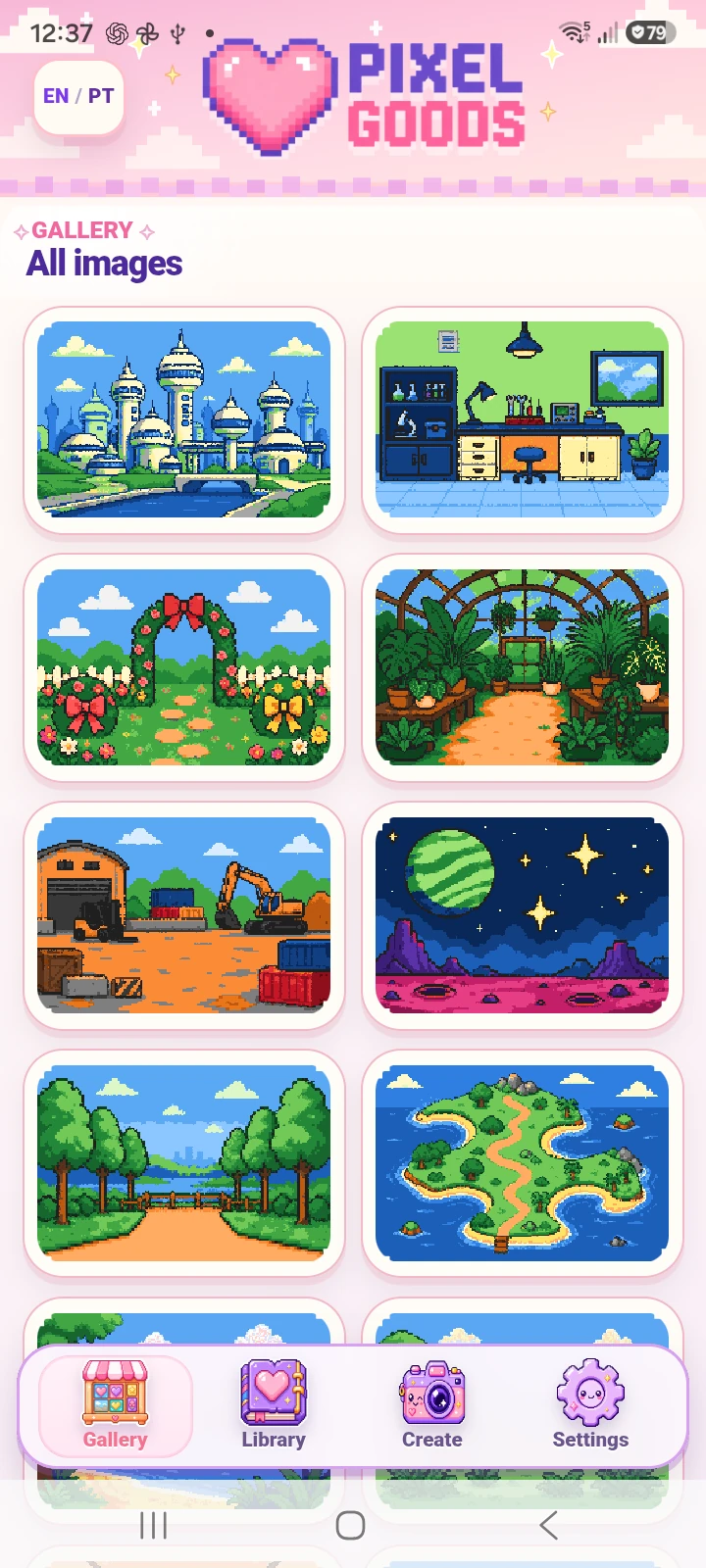
Embedded gallery
200 random artworks. Always with you.
All 200 randomly selected artworks ship inside the app. The gallery is free, works offline and depends on no account or app server.
artworks in the app
A random selection is available locally, without depending on the internet.
gallery servers
The full catalog stays on the device and works offline.
Gallery content is licensed for personal and non-commercial educational use.
Paint on screen
Three games. Two ways to enjoy the challenge.
Every creation can change pace without losing the visual logic of Pixel Goods.
Coordinates
Find each position by matching the column letter with the row number.
Numbers
Choose a legend color and paint pixels identified with the same number.
Twist 50/50
A surprising mix: roughly half of the creation uses numbers and half uses coordinates.
Relax mode
No mines. No rush.
Compatible tools and powers have no cooldown. A calm mode for following the image at your own pace.
Challenge mode
Tools, mines and strategy.
Each tool starts with one charge and recovers after 60 seconds. Mines appear with a warning and can be defused.
Powers and tools
When every tap can do more.
The app shows only what works in the current game and play mode.

Brush
Paint with taps or drag across the pixels.
Every game
Bucket
Fills the connected area of the selected color at once.
Numbers · Twist
Bomb
Paints a broad area and nearby pixels around your chosen point.
Every gamePlane
Paints the entire row crossing the chosen point.
Every game
Rocket
Paints the entire column from its launch point.
Every game
Locator
Centers the next unfinished pixel of the selected color.
Numbers · Twist
Magnifier
Highlights unfinished pixels of the selected color.
Numbers · Twist
Hints
Shows orientation arrows when coordinates are present.
Coordinates · Twist
Magnet
Includes connected pixels of the same color when painting a coordinate.
Coordinates · Twist
Defuse
Neutralizes mines before they interrupt your progress.
Challenge onlyLocator and Magnifier stay hidden in Coordinates when they have no function. Defuse is exclusive to Challenge mode.
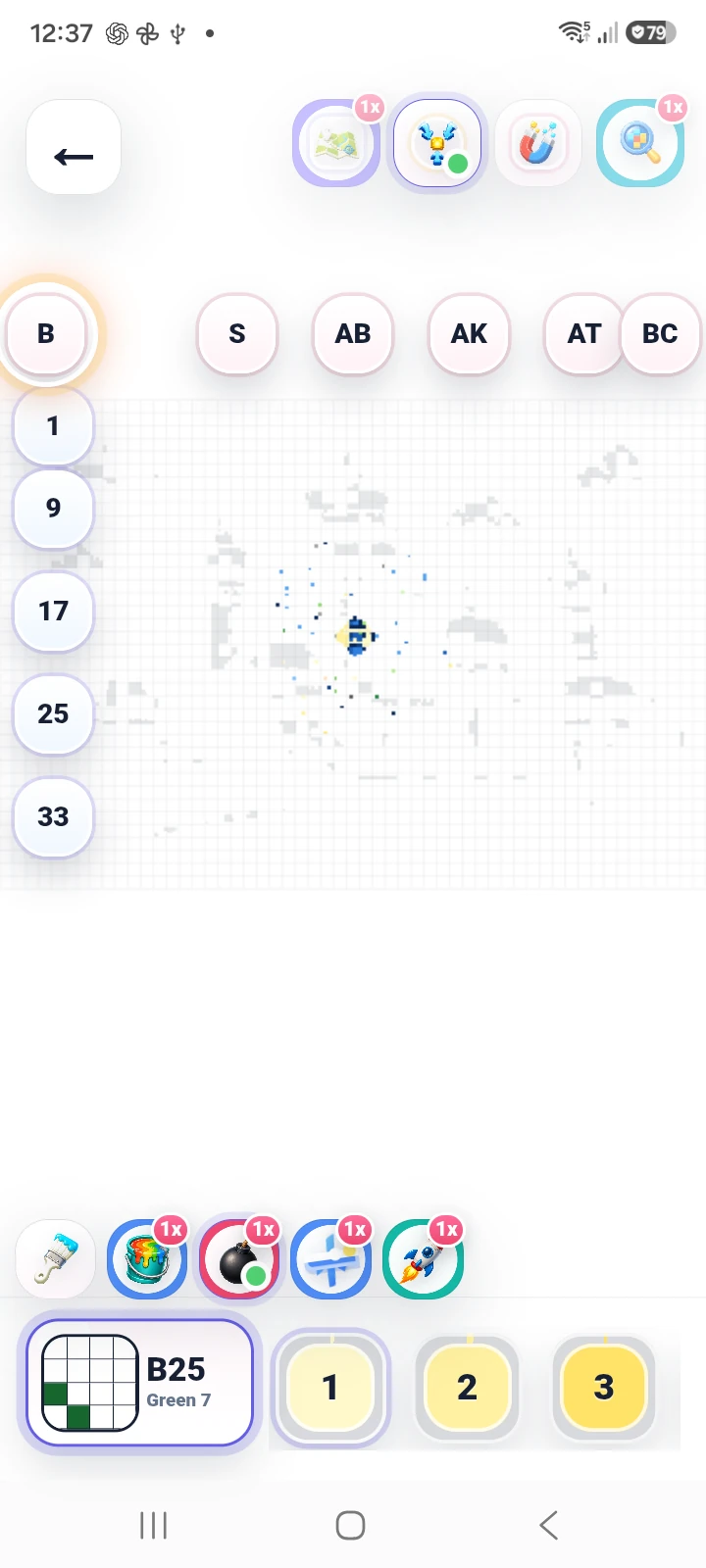
Powers in action
Coordinates and Twist come alive.
This is a real app capture: Coordinates or Twist 50/50 clues remain visible, painted pixels reveal the artwork, and the power reaches full rows, columns or nearby areas.
Bomb · areaPlane · rowRocket · column
Paint on paper
You choose how big the idea becomes.
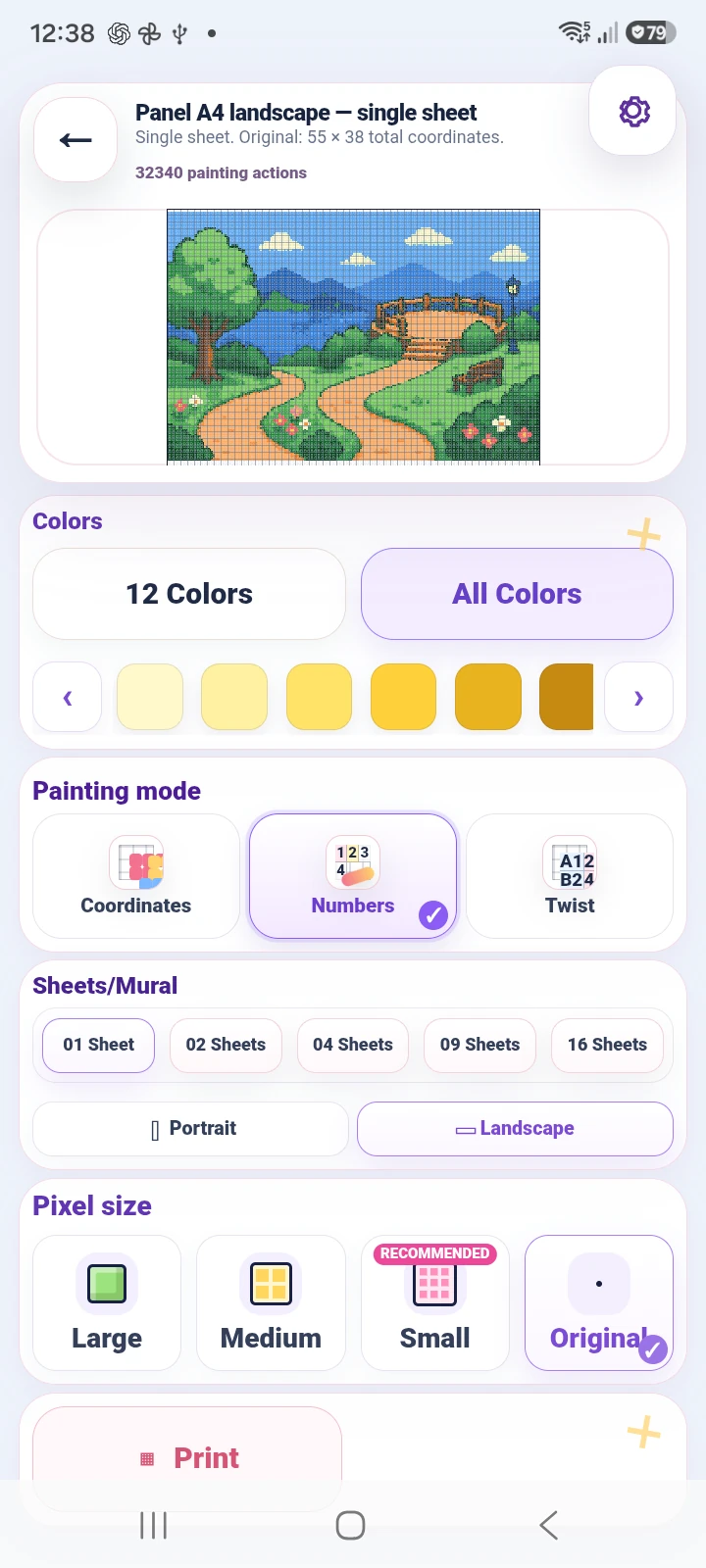
Before printing, adjust the creation with simple visual controls. The result is recalculated instantly.
- 01
12 colors or every color
Use a practical 12-color palette or preserve the artwork’s full variety.
- 02
Replace any color
Tap a palette dot, choose another color and let Pixel Goods recalculate the grid and legend.
- 03
Sheet or mural
Spread the artwork over 1, 2, 4, 9 or 16 sheets. Each page restarts its grid at A1 to simplify assembly.
- 04
A pixel size for your pace
Larger pixels are easier to paint. More sheets create a larger mural and help retain detail.
Size and subpixels
From a broad cell to original detail.
At smaller sizes, a coordinate such as A1 becomes a compact block. The sequence in parentheses shows how to fill its subpixels.
Large
10 mmwhole cellThe broadest, easiest gesture to follow.
Medium
5 mmwhole cellA balance between comfort and detail.
Small
2.5 mm2×2 · 4 subpixelsMore definition in the same space.
Original
1.25 mm4×4 · 16 subpixelsMaximum detail for dense projects.
A1(A B C D · E F G H · I J K L · M N O P)
Original example: the 16 characters follow the 4×4 block visually, left to right and top to bottom.
A PDF that shows the way
Grid. Colors. Compact coordinates.
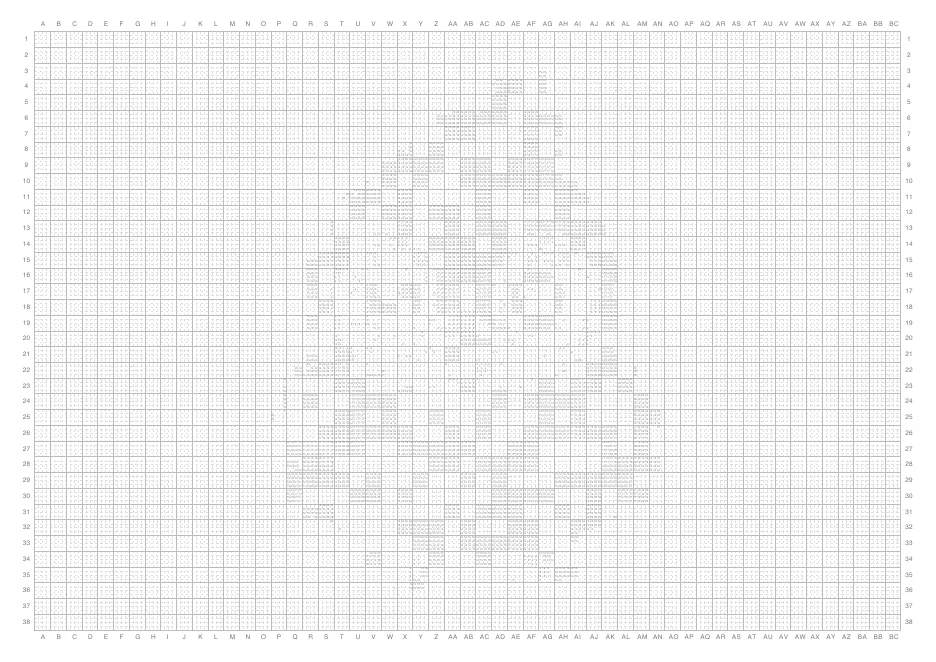
Every part of the file has a clear purpose. These are real Pixel Goods outputs.
Painting sheet
Rows and columns guide numbers, coordinates or both.
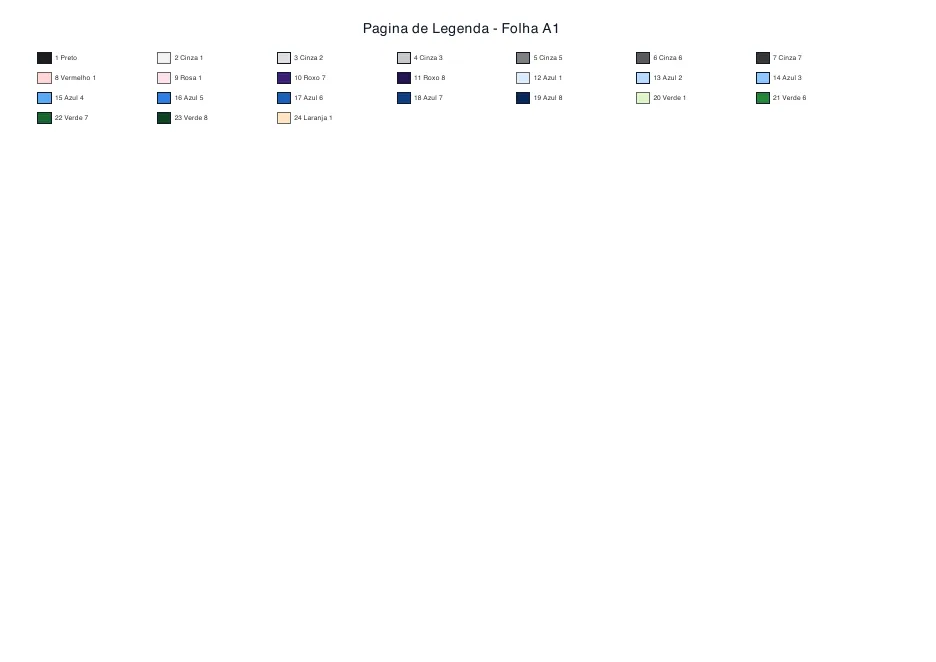
Color legend
Every tone gets a sample, name and painting code.
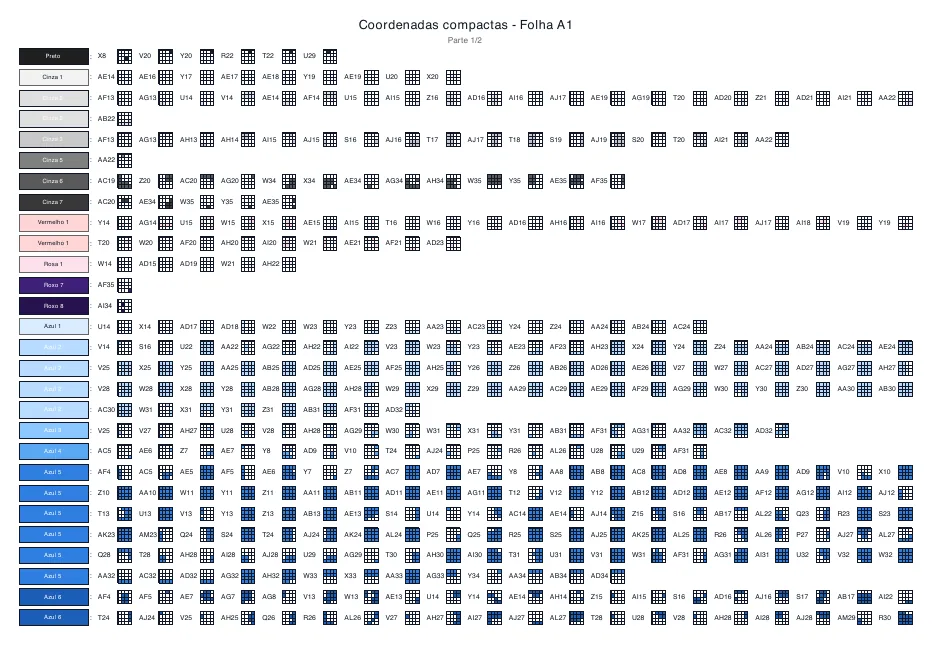
Compact blocks
Positions are grouped by color and show subpixels.
For adults who create experiences
One image can become an activity, group project or mural.
Parents, teachers and educators can explore a varied gallery and adjust detail, size and reading mode.
Use should be guided by an adult. Pixel Goods is a creative tool and does not make educational or therapeutic claims.
Individual
One sheet, one palette and a comfortable pace.
As a group
Share four pages among participants and assemble the result.
Mural
Expand to 16 sheets and turn the activity into collaboration.
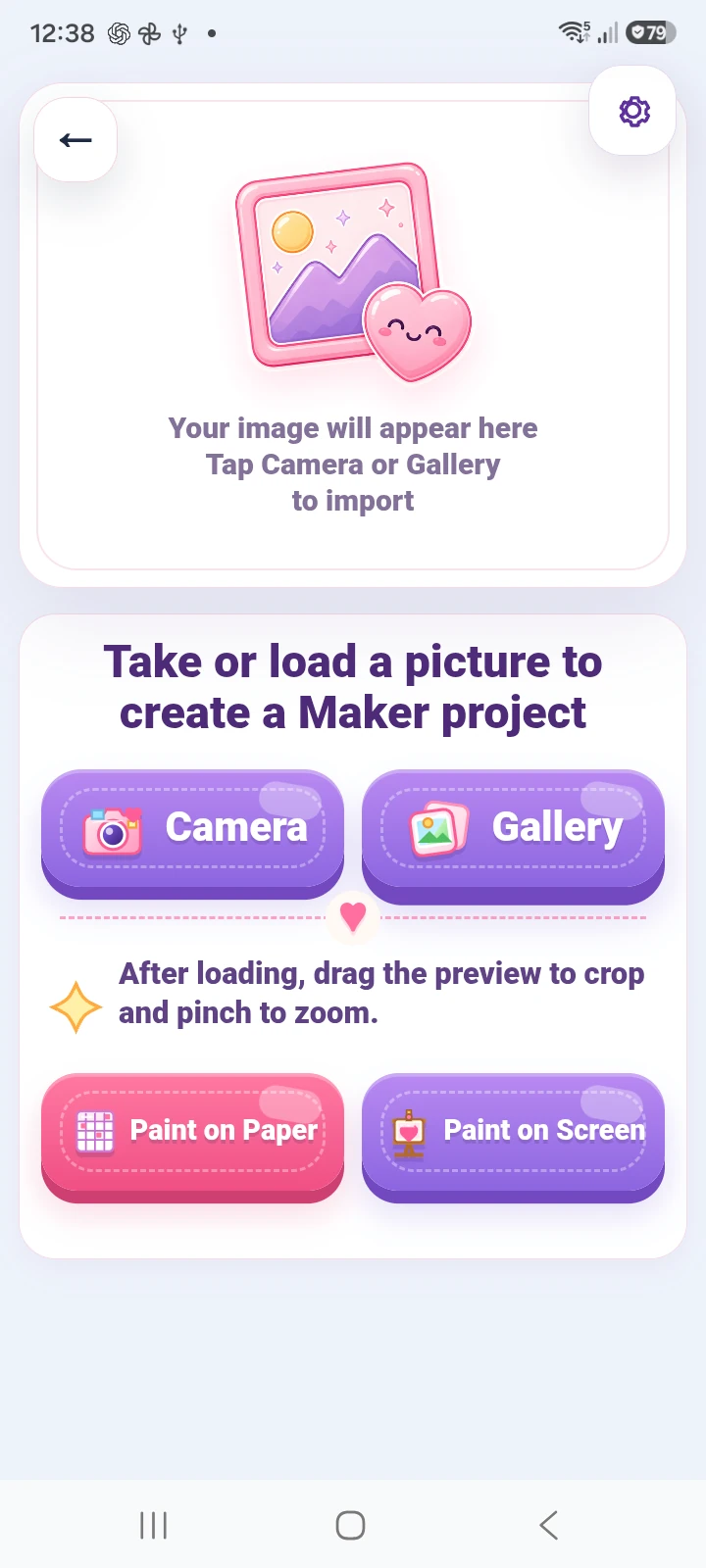
Pixel Goods Maker
Your image. Your project.
Import a photo or image from camera or gallery, adjust crop, sharpness, background, tones and palette. Then choose screen painting, a printed sheet or a mural.
Import→Adjust→Screen or paper
Owned creations can become products.
With Lifetime Maker, new exports made from an owned or properly licensed image can receive a commercial license for physical pieces and the final PDF.
Read the full licenseThe license does not cover Pixel Goods gallery images, editable projects, assets, branding or software.
Pixel Goods Maker
Lifetime Maker.
Free Maker already lets you create with your own images and use Screen, Sheet and Mural flows with a watermark. One purchase with a Brazil reference price of R$19.90 removes only the watermark — no flow is blocked without buying; the store shows the final price before confirmation.
- 200 random gallery artworks, free and offline
- Free Maker import and preview
- Removes the watermark from painting and printing
- Maker commercial license on eligible exports
- Restoration through your App Store or Google Play account
Lifetime MakerR$ 19,90
one-time payment
Reference price for Brazil. The final localized price appears in the App Store or Google Play before confirmation. There is no renewal.
Frequently asked questions
Clear before you begin.
Complete rules remain available on the product’s public pages.
Does Pixel Goods show ads?
No. The app has no ads, no app server, analytics or tracking. The Maker is a one-time purchase made directly through the store.
How does the offline gallery work?
All 200 randomly selected artworks ship inside the app and are free. You can browse, paint and print without a connection or artificial limits.
What does Lifetime Maker change?
Free Maker already lets you create, play, paint and print with a watermark. One Lifetime Maker purchase removes only the watermark; none of these flows is blocked without the purchase. The Brazil reference price is R$19.90 and the store shows the final price.
Can I sell what I create?
Lifetime Maker owners may sell physical pieces and final PDFs created with an owned or properly licensed image, after accepting the Maker Commercial License. Pixel Goods gallery images are not licensed for commercial use.
Which images can I use in Maker?
Maker imports an image you choose — from camera, gallery or another source — and converts it into a painting project. You must hold the required rights to the file.
Are projects stored in the cloud?
Not in this release. Projects, library, progress and Maker images remain on the device. Save important PDFs before deleting the app or clearing its data.